
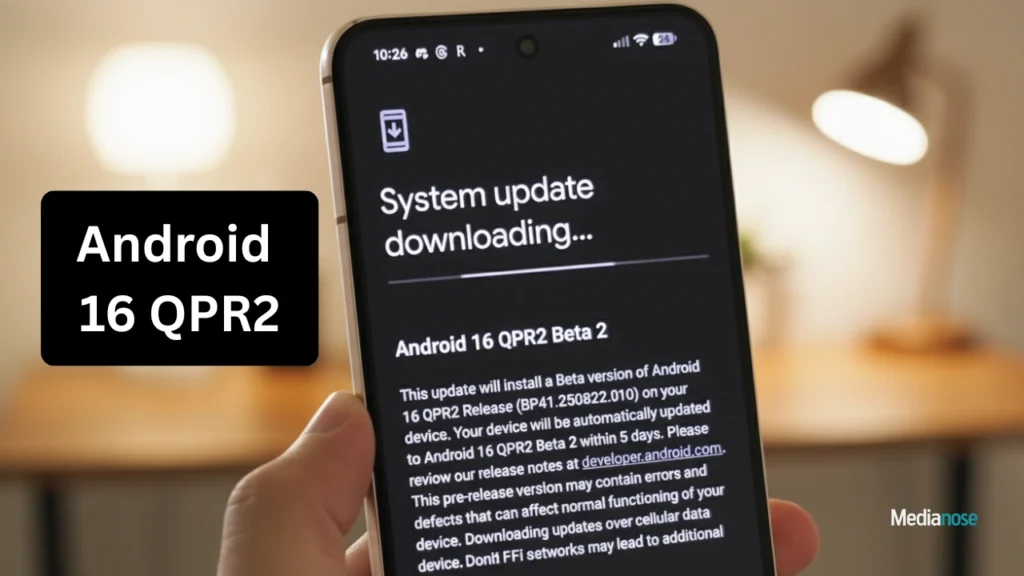
Google has officially released the Android 16 QPR2 update for a wide range of Pixel models, giving users access to new features, improved performance, and enhanced customization options. The update focuses on refining the user experience while bringing visual upgrades and smarter system capabilities. Many Pixel users had been waiting for this rollout, especially because it introduces upgrades that go beyond regular monthly patches.
Devices Eligible for the Android 16 QPR2 Update
A large list of Pixel smartphones and tablets are now receiving the Android 16 QPR2 update. This ensures broad compatibility and continuity across generations of Google hardware. The supported devices include:
- Pixel 6, Pixel 6 Pro, Pixel 6a
- Pixel 7, Pixel 7 Pro, Pixel 7a
- Pixel Tablet
- Pixel Fold
- Pixel 8, Pixel 8 Pro, Pixel 8a
- Pixel 9, Pixel 9 Pro, Pixel 9 Pro XL, Pixel 9 Pro Fold
- Pixel 10, Pixel 10 Pro, Pixel 10 Pro XL, Pixel 10 Pro Fold
Users can check for the update manually by navigating to Settings > System > System Update if they haven’t yet received the automatic notification.
Android 16 QPR2 Update Brings New Icon Shapes
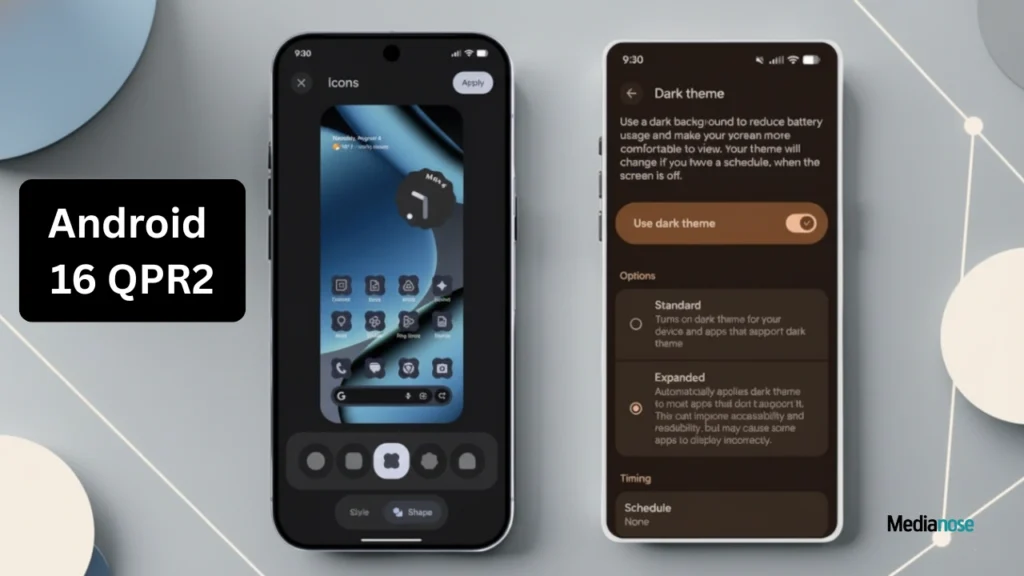
One of the standout elements of the Android 16 QPR2 update is the addition of new icon shapes. Google is giving users more control over visual personalization, making home screens look more unique and expressive.
Also Read

Notable additions include:
- Rounded square icons
- Arch-style icons
- Four-sided cookie icons
- Seven-sided cookie icons
These options allow users to switch away from the standard circular icons that have been the default for years. This shift reflects Google’s renewed focus on giving Android a more flexible and user-friendly appearance.
Auto-Themed Icons Improve Visual Consistency
The Android 16 QPR2 update introduces smarter auto-themed icons. Many apps do not provide monochrome icons, causing inconsistent looks across the home screen. With the update, Android automatically generates themed icons using a color-filtering method that blends them with the system theme.
Benefits of auto-themed icons:
- More uniform home screen
- Better visual harmony
- Cleaner interface
- Improved accessibility in both light and dark themes
This addition is useful for users who prefer a minimalist aesthetic, as it reduces visual clutter.
Expands Dark Mode Improvements
The updated dark mode now applies more uniformly across apps, menus, and system panels. Google has enhanced color contrast, readability, and visibility in low-light conditions.
Improvements include:
- Stronger contrast for text and UI elements
- Darker backgrounds across more apps
- Reduced eye strain in long-use sessions
In addition, the update enhances HDR brightness stability, allowing compatible devices to display high-dynamic-range content more effectively.
Productivity Tools
Beyond visual updates, Android 16 QPR2 brings improvements that help users stay productive.
Key enhancements include:
- Smoother multitasking, especially on foldable models
- Faster app switching animations
- Better responsiveness with multi-window apps
- Optimized battery efficiency during work-related tasks
These updates aim to make the Pixel experience more fluid, especially for those using the device heavily for work or content creation.
Security Enhancements
Security remains a core focus of every major Android release. The Android 16 QPR2 update includes deeper system-level protections and modern encryption adjustments.
Highlighted security upgrades:
- Stronger protection against malware
- Improved app permission controls
- Better isolation of sensitive processes
- Faster security patch integration
Google continues to refine background privacy checks, ensuring apps behave as intended and adhere to new data restrictions.
Camera and Imaging Improvements
The Android 16 QPR2 update brings several photography and camera-related enhancements, especially useful for Pixel devices known for computational photography.
Camera improvements include:
- Faster image processing
- Enhanced low-light clarity
- Better stabilization in video recording
- Improved portrait mode edge detection
Users should notice smoother, cleaner photos and videos across a variety of lighting conditions.
Android 16 QPR2 Update Optimizes Performance
Performance optimization is one of the most significant upgrades offered by Android 16 QPR2. Google has refined how the system handles memory allocation, background apps, and thermal management.
Key optimization highlights:
- Reduced app load times
- Lower thermal throttling during gaming
- Improved stability during heavy multitasking
Pixel devices are expected to run cooler and more efficiently after installing this update.
Final Verdict
The Android 16 QPR2 update is a meaningful improvement for Pixel users, offering a mix of visual polish, better performance, enhanced customization, and stronger security. Whether you value new design elements or prioritise speed and stability, this update provides noticeable upgrades across the board. With support for many Pixel generations, Google ensures that most users benefit from a refreshed and modern Android experience.